Q: What connector does this keyboard have?
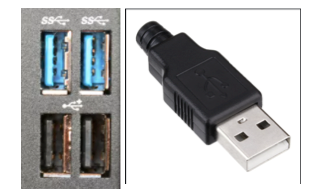
A: USB-A connector. It needs a USB-A port as well. Picture below.
Q: Are there extra USB ports for this keyboard?
A: No, there is not.
LED LIGHTS (From Left to Right)

Fn Lock: Blue LED Light (When the light on it will lock shortcuts)
"A" in a Square: Blue LED light (Light is on when Caps Lock is on)
Power: Blue LED Light (On when the power goes in the keyboard)
Shortcuts
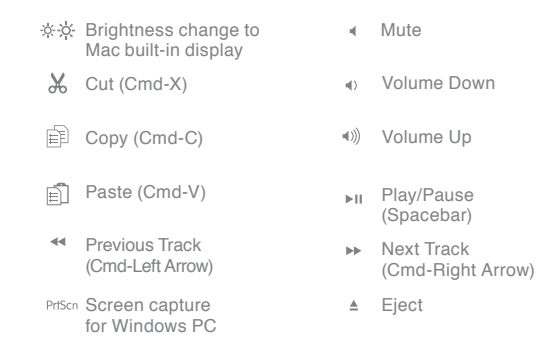

Fn + F1, F2, F3, F4, F5, F6, F7, F8, F9, F10, F11, F12, and PrtScn equals everything that is in Blue will work. (For Computers Only)
Example: FN+ Play/Pause = F7

Fn = Right Arrow, Left Arrow, Down Arrow, and Up Arrow equals everything that is in Blue will work. (For Computers Only)
Example: Fn + Left Arrow = Home