->DDKEY USER MANUAL<-
->DDKEYCOMBO USER MANUAL<-
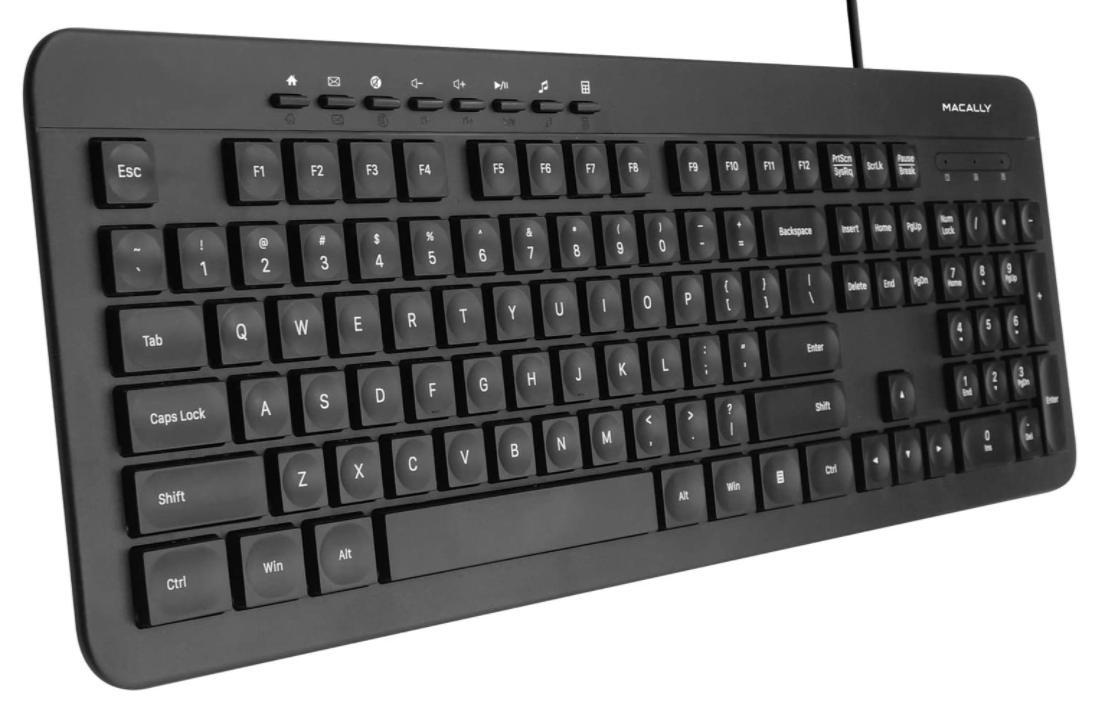
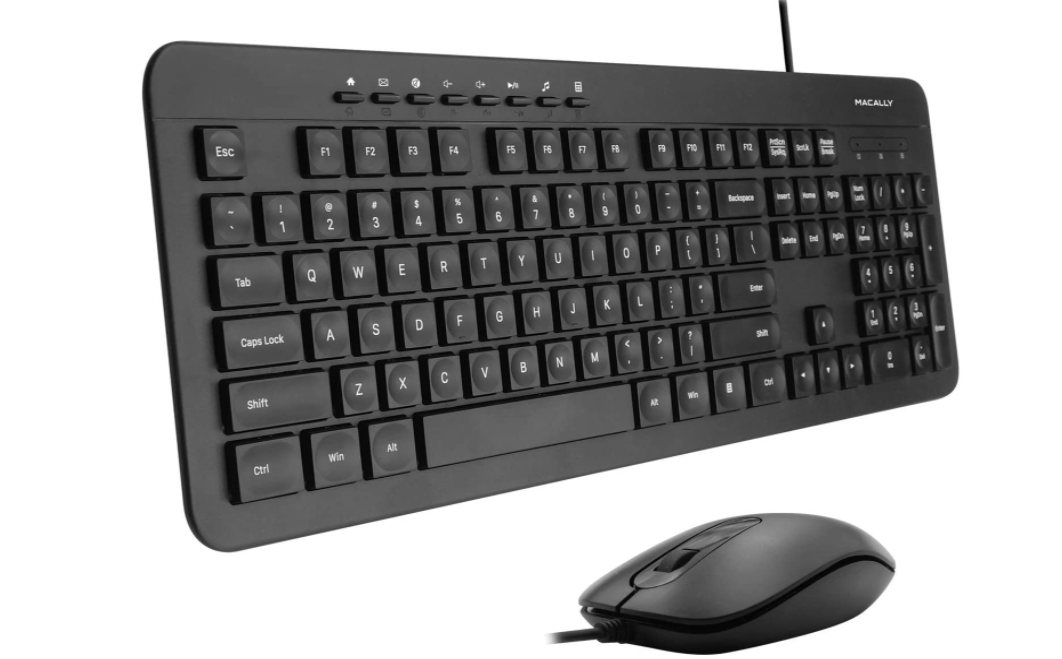
Question 1: How many DDKEY series are in this family?
Answer 1: Two. Pictures are below:
DDKEY
DDKEYCOMBO (Comes with a Mouse)
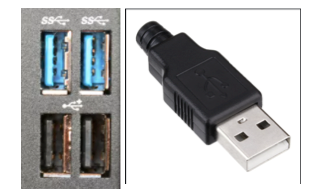
Question 2: What connector does this keyboard have?
Answer 2: USB-A connector. It needs a USB-A port as well. Picture below.
Question 3: Are there extra USB ports for this keyboard?
Answer 3: No.
Question 4: I am using this keyboard on a PC and the number pad side is not working. What do I do?
Answer 4: Because you either have num lock inactive on your PC. You can press the clear key (Where Num Lock should be). If that fails then please go back and click on the "How to turn Num-Lock on for PC" article in the "Wired Keyboards" Section.
LED LIGHTS (From left to right)
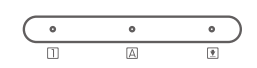
"1" in a square: Num Lock (Blue LED Light)
"A" in a square: Caps Lock (Blue LED Light)
"Down Arrow with a Line" in a Square: Scroll Lock (Blue LED Light)
Hot Keys Buttons


DDKEYCOMBO'S MOUSE:
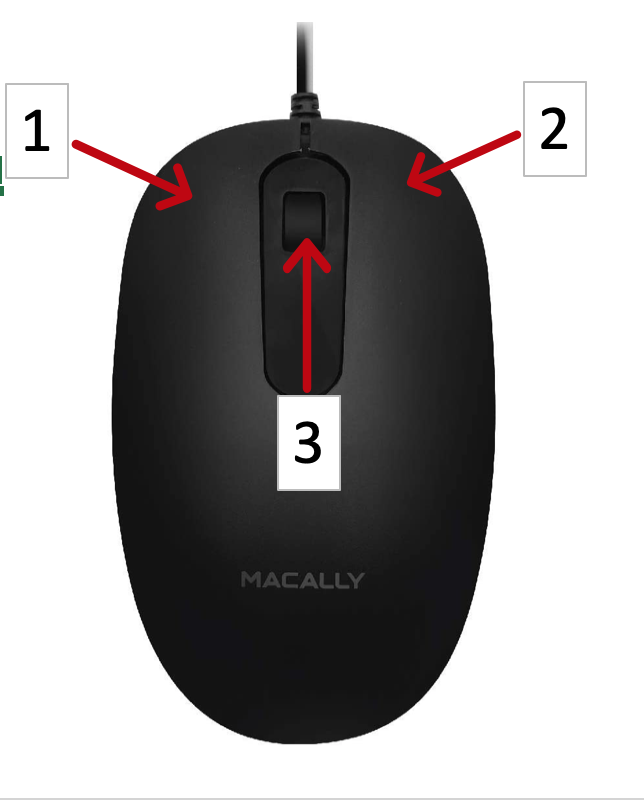
1: Left Mouse Button
2: Right Mouse Button
3: Scroll Wheel (Can also click like a button)
My keyboard will no longer type
Here are a few things you can try:
- Unplug, plug back in.
- Try a different USB port.
- Are you using a USB hub? Try a different port on the hub, try plugging the keyboard directly into the computer, even if it is temporarily to see if it responds.
- Are you using an adapter? If possible, switch it out. The adapter may respond differently to each device.
- Try a different computer to see if there is any response.
- Restart your computer.
- If you have a dual USB connection, make sure they are secured.
- Some Mac have the following option, you can try making a change in your settings -
- On your Mac, go to:
System Settings > Privacy & Security
Scroll down to the Security section.
Under "Allow accessories to connect," change the setting to "Always."
Your system may prompt you to enter your Apple ID password to confirm the change.
My keyboard is adding or missing keystrokes
You can try unplugging and plugging back in and then test to see if the issue still occurs. If it does, there may be an issue with the PCB board/the component under the key. We suggest you reach out to us.